
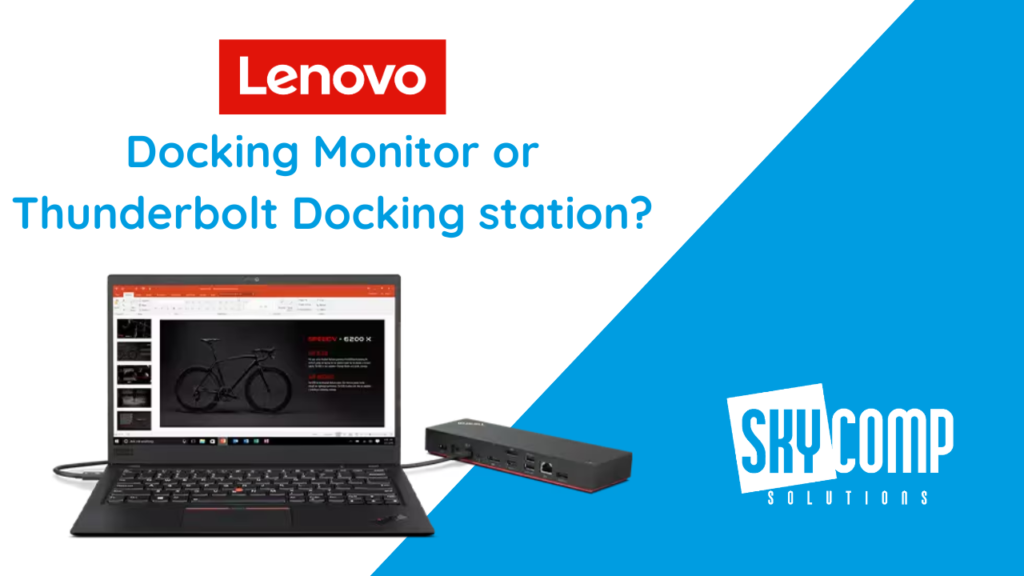
In today’s hybrid work world, a docking station is like a powerful hub that turns your laptop into a full desktop setup. By plugging in a single cable to your laptop, you instantly get connections for monitors, keyboard, mouse, network and power. This means you can switch from home to office (or anywhere) without fumbling with cords – just plug in and go. In fact, experts note that universal docks “serve as the connective bridge” for multi-monitor setups, offering plug-and-play support for screens, Ethernet and peripherals without constant reconfiguration. In short, a good docking station keeps your workspace neat and boosts productivity by letting you jump straight into work.
ThinkPad Universal Thunderbolt 4 Dock
The ThinkPad Universal Thunderbolt 4 Dock is a high-powered USB-C dock for laptops that delivers enterprise-grade connectivity. It uses one Thunderbolt 4 cable to your laptop, and in return gives you loads of ports and up to 100W of power delivery. Key features include:
One-cable simplicity: Plug in a single Thunderbolt cable and you instantly get video, data and power. It can drive an 8K display at 30 Hz or up to four 4K displays at 60 Hz. Transfer speeds reach 40 Gbps and it even supports Intel vPro pass-through.
Plenty of ports: The dock has multiple display outputs (2× DisplayPort 1.4, 1× HDMI 2.1, plus 1× Thunderbolt 4 downstream) and USB ports (4× USB-A 3.1 Gen2 ports – including one always-on charging port – and 1× USB-C). There’s also a Gigabit Ethernet jack and a 3.5 mm audio jack. This lets you attach USB drives, an external keyboard/mouse, wired network, speakers, etc., all at once.
100W charging: It comes with a 135W power adapter, delivering up to 100W to charge your laptop. That means it can fully power most notebooks while also running all the connected devices.
Enterprise reliability: Designed for business, this dock provides reliable and consistent video, data and power connectivity. Lenovo’s Dock Manager software even allows firmware updates without interrupting users, so it’s robust and future-proof.
Overall, this ThinkPad Thunderbolt 4 Dock is ideal if you have multiple monitors or lots of peripherals to connect. It’s a classic Lenovo docking station that works with any Thunderbolt 3/4 or USB-C laptop (Windows or Mac) and keeps your desk organized by centralizing every cable.
ThinkVision T24m-20 Docking Monitor
The ThinkVision T24m-20 is an all-in-one docking monitor – a 23.8-inch Full HD (1920×1080) display that doubles as a USB-C dock. Instead of a separate stand-alone box, this solution combines the monitor and the dock in one device. You connect your laptop to the monitor with a single USB-C cable that carries display signal, USB data and up to 90W of power (so it can charge your laptop). Major benefits include:
Built-in webcam and mic: As the name implies, it has an integrated 1080p webcam and dual microphones right in the monitor bezel. This makes it great for video conferencing – you can have a dedicated screen for your video calls and another for work apps side by side.
All-in-one ports: The monitor has its own built-in USB hub with 4 USB-A 3.2 Gen1 ports, plus a USB-C upstream port (for the laptop), an HDMI input, a DisplayPort input and a DisplayPort out for daisy-chaining another monitor. There’s also an RJ-45 Ethernet jack for wired network and a 3.5 mm audio out jack. In other words, you plug your laptop in via USB-C and instantly gain Ethernet, USB ports, video out, etc., all through the monitor.
Screen real estate: You get a sharp 23.8″ IPS display (with wide viewing angles and 250 nit brightness). The nearly borderless 3-sided design and daisy-chain DP-out mean you can expand to a multi-monitor setup if needed.
Clutter-free design: By combining monitor and dock, you eliminate extra cables and chargers. Lenovo notes its ergonomic, “clutter-free, space-saving design” – one cable powers and connects everything, so your desk stays neat. This is perfect if you prioritize a minimalist workspace.
In short, the ThinkVision T24m-20 is a docking monitor solution: one piece of hardware that handles display, docking and conferencing. It’s ideal for users who want an integrated all-in-one screen plus dock, especially for hybrid setups where a built-in webcam and a tidy desk are valuable.
Which to Choose: Dock vs Docking Monitor?
If you need the maximum flexibility – for example, driving three or more external monitors, multiple high-speed peripherals or a more powerful setup – the standalone Thunderbolt 4 dock is the way to go. It supports up to four external displays (including 8K) and has the greatest number of ports for expansion. This is perfect for power users or complex desktop workstations.
If you want a simpler, cleaner setup with just one main screen, the ThinkVision docking monitor excels. With its single cable design and built-in webcam/mic, it minimizes cables and clutter while still providing USB-A ports, network and power. It’s essentially a USB-C dock for laptops built into a monitor – ideal for a neat home office or small workspace.
Whether you go for the ThinkPad Universal Thunderbolt 4 Dock or the ThinkVision T24m-20 docking monitor, you’ll transform your laptop’s usability. Both are great ThinkPad accessories that simplify the laptop-to-workstation transition. With either option, you’ll gain a cleaner, more organized workspace and faster setup — ultimately helping you stay more productive in a hybrid work environment. Consider how many screens and peripherals you use and whether you prefer the raw flexibility of a separate docking station or the simplicity of an all-in-one docking monitor. In both cases, these Lenovo solutions make plugging in at home or office as easy as one cable – exactly what today’s hybrid professional needs. Watch our latest video about those docking stations: