
A phishing message does not always look suspicious.
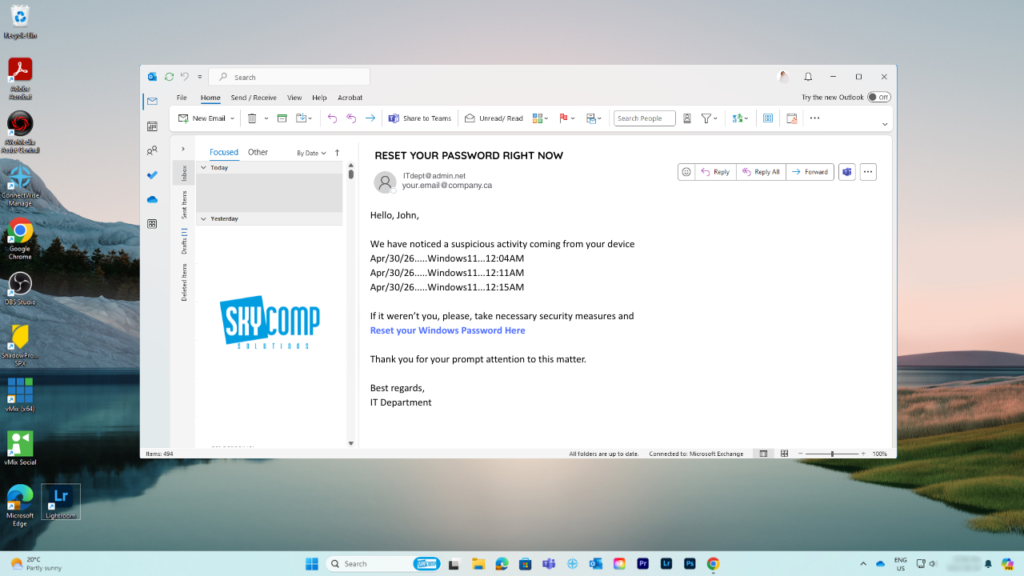
Sometimes it looks like a Microsoft password alert or an invoice from a supplier. In the recent attack against Binance, it reportedly looked like a professional opportunity.
Binance disclosed that approximately US$6.34 billion in digital assets was affected by a sophisticated, multi-stage cyberattack. The campaign involved fake recruitment interviews, malicious software, compromised employee devices, misuse of an internal AI tool, and unauthorized access to internal wallet systems. [source]
This was not a simple case where one person clicked one email and immediately lost billions. However, an unexpected message helped attackers begin building trust.
How an Unexpected Opportunity Became an Attack
According to the initial investigation, a software engineer was contacted through a legitimate job-hunting platform by someone claiming to be a project director.
The process looked believable. The attackers held fake interviews, shared convincing social media profiles, and presented themselves as representatives of a real-looking company. The engineer was eventually asked to download a coding assignment that contained malicious software.
Once installed, the software provided a path into the employee’s work device. The attackers later compromised additional systems before gaining access to Binance’s internal wallet-signing infrastructure. The FBI attributed the theft to TraderTraitor, a North Korean cyber operation. [source]
The message worked because it matched the employee’s normal professional life. Software engineers complete coding assignments during interviews, just as accounting employees open invoices and sales teams review files from potential customers.
Attackers do not always ask people to do something unusual. They make the dangerous action feel like a normal part of the job.
Pay Attention to Emails You Were Not Expecting
An unexpected message is not automatically malicious. New customers, recruiters, suppliers, and business partners contact people every day.
However, an unexpected message deserves extra attention when it asks someone to download software, open a file, enter a password, approve a sign-in, transfer money, or share company information.
Instead of asking only, “Does this look fake?” ask two better questions:
Was I expecting this message?
Can I verify the sender through a separate, trusted channel?
Do not verify a questionable request by replying to the same message or calling the number included in it. Use a previously saved contact, an official company website, or your internal IT support channel.
Why Phishing Training Is Important
Modern phishing training cannot focus only on spelling mistakes and suspicious email addresses. Attackers now use polished messages, legitimate platforms, personal information, artificial intelligence, and extended conversations to build credibility.
Effective training teaches employees to recognize the situation surrounding a request. Is the sender creating urgency? Does the request follow the normal company process? Does it involve software, credentials, money, or confidential information?
Employees also need a safe and simple way to report uncertainty.
An employee should feel comfortable saying:
“I was not expecting this file. Can IT check it before I open it?”
That short pause may stop an attack before a device or account is compromised.
Training works best when it is ongoing and relevant to each role. Finance employees should practise spotting false payment instructions. Developers should see fake coding projects and recruitment approaches. Sales teams should learn how attackers disguise malicious files as customer proposals.
Training Is One Layer, Not the Whole Solution
The Binance incident also shows why businesses cannot place the entire responsibility on employees.
The attack combined social engineering with malicious software, compromised devices, internal access, and advanced technical methods. Security awareness training needs to work alongside email protection, multi-factor authentication, endpoint monitoring, application controls, restricted access, and an incident response plan. [source]
Your business may not hold billions in cryptocurrency, but the same techniques can be used to steal customer information, redirect a supplier payment, compromise Microsoft 365, or install ransomware.
Pause, Verify, and Report
The most useful habit is also the simplest.
Before acting on an unexpected message, pause and verify it through another channel. If something still feels uncertain, report it to IT before opening the file or following the instructions.
At Skycomp Solutions Inc., we help small and medium businesses across Niagara build this habit through practical security awareness training and phishing simulations. We also support the technology behind that training through email security, identity protection, managed endpoint security, and incident response planning.
The goal is not to catch employees making mistakes. It is to give them realistic practice and a clear way to ask for help.
Because one unexpected message should not become a much bigger story.